Instant ISBN Scan
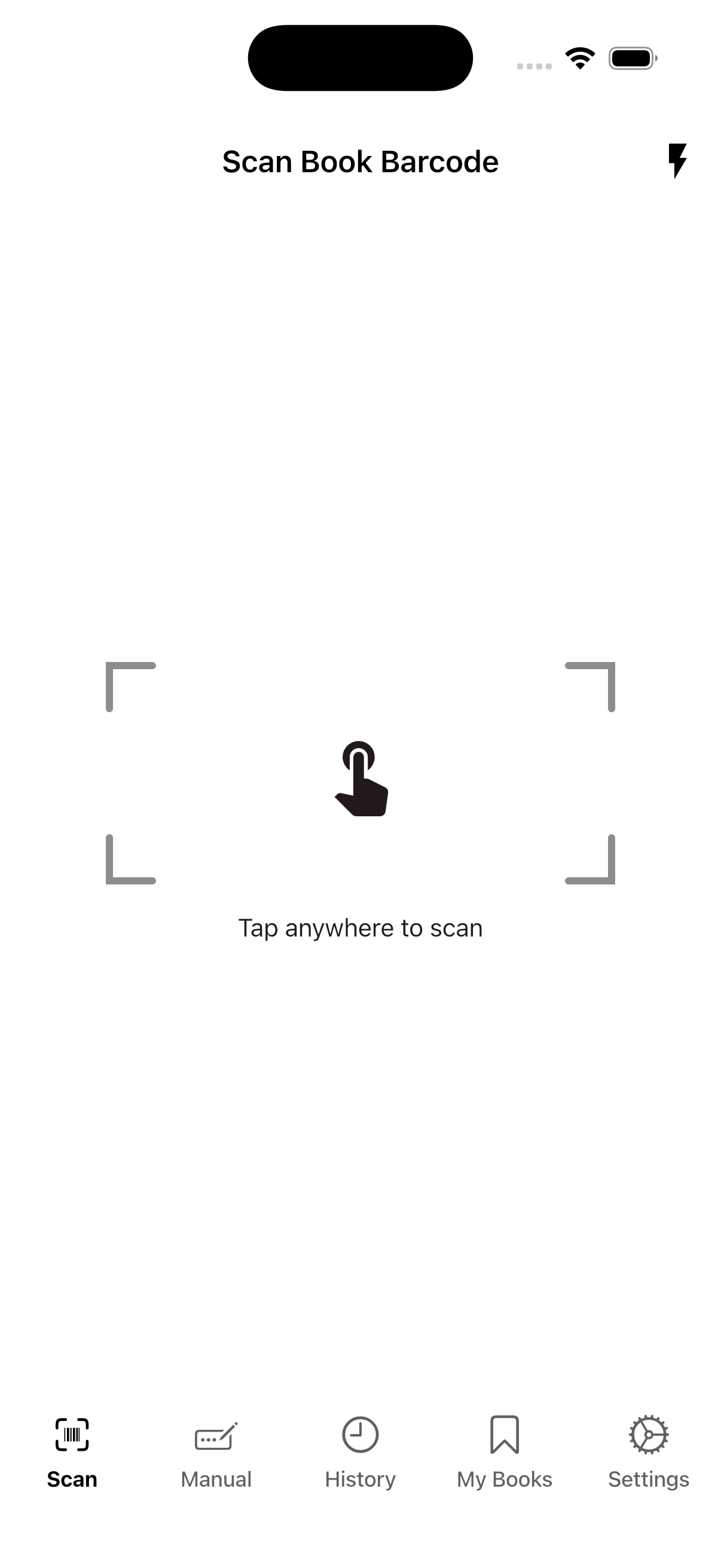
Use your camera to scan any book barcode in under a second. TomeScan reads the ISBN and fetches complete metadata — title, author, cover, publisher, and more — powered by Google Books and Open Library.
For readers who mean business
Point your camera at any book barcode. Instantly unlock its Lexile reading level, audience rating, and a rich personal library — all in one place.
Free to download · iOS & Android
Features
Use your camera to scan any book barcode in under a second. TomeScan reads the ISBN and fetches complete metadata — title, author, cover, publisher, and more — powered by Google Books and Open Library.
No barcode? No problem. Search by title or enter an ISBN manually. Recent searches are saved so you can jump back in without retyping.
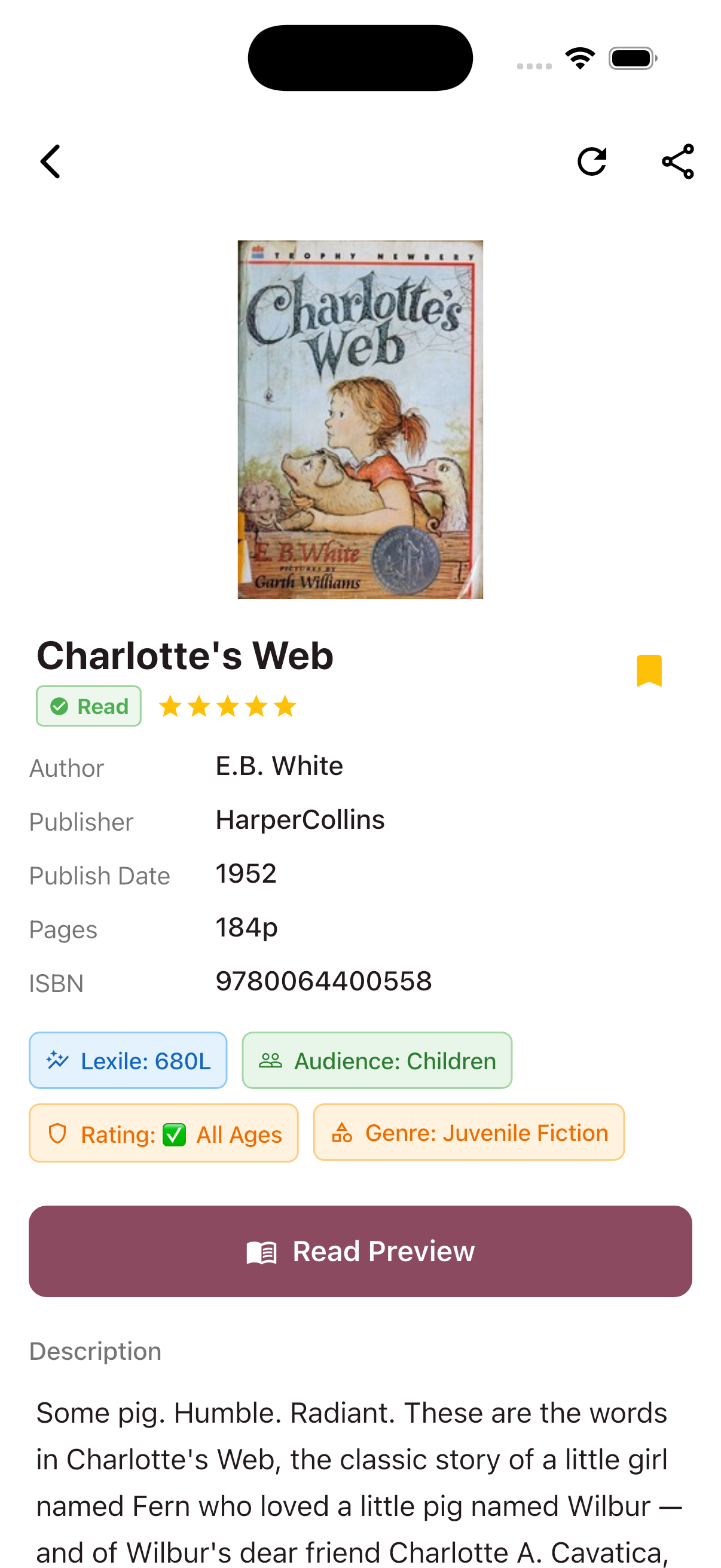
See a book’s Lexile measure, target audience (children, young adult, adult), content maturity rating, and genre — all fetched automatically when you open a book.
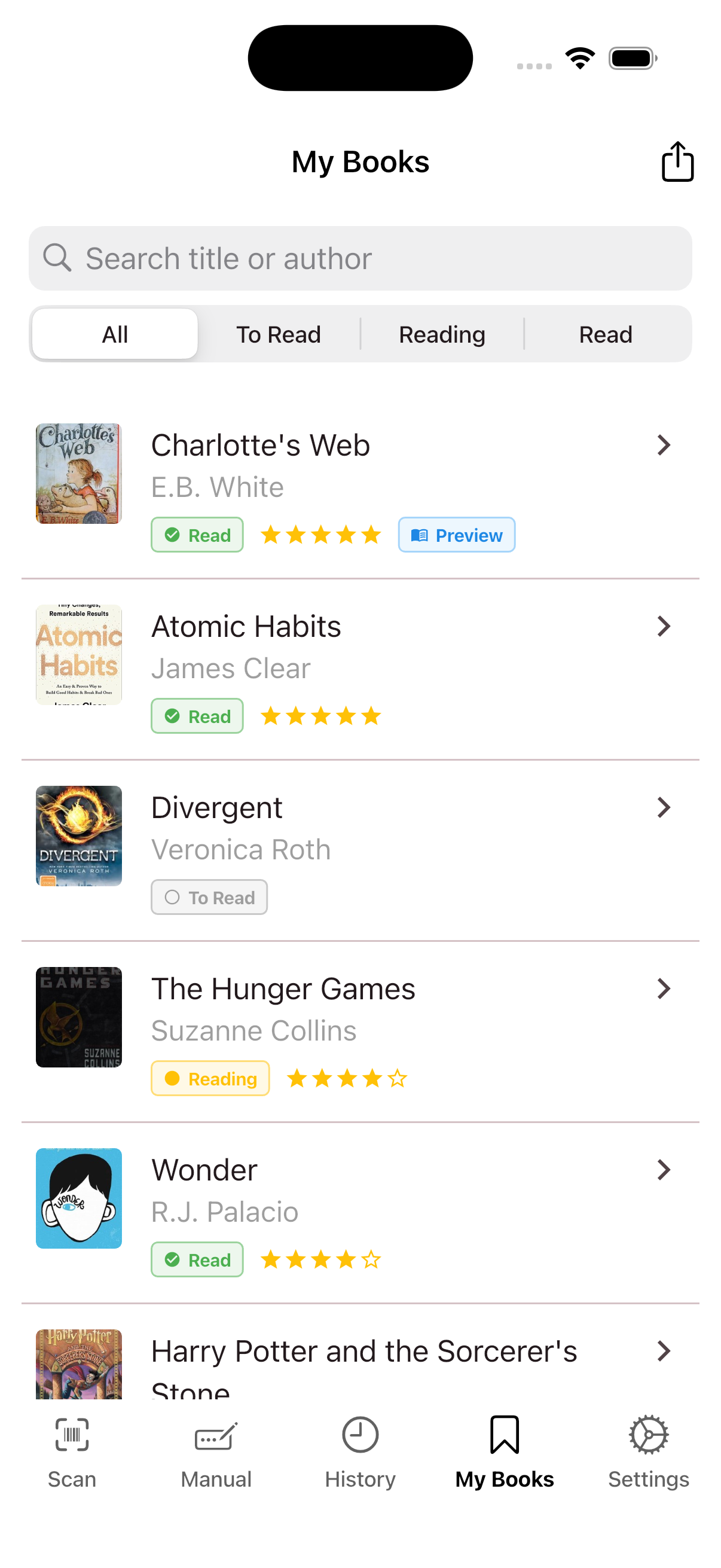
Every book you scan is saved automatically. Filter and search your history, swipe to delete, or swipe the other way to save a book to My Books in one motion.
Save books to your personal collection. Set a reading status (To Read, Reading, Read), rate with stars, and reorder your list however you like.
Export your history or collection as a CSV file and share it anywhere. Pro users get detailed exports with descriptions, Lexile scores, and more.
How It Works
01
Point your camera at the barcode on any book, or search by title and ISBN manually. TomeScan identifies it instantly.
02
Get the full picture — cover, description, Lexile score, audience rating, maturity level, genre, and a preview link if available.
03
Save books to My Books, set a reading status, rate them, and export your collection as a CSV whenever you need it.